Klangfeld Labs

Forschungslabor für angewandte Elektronik, Bildgebung und sonstige Untersuchungen

Unabhängige Forschung seit 1978*

DOOM OS

A custom OS for the Roland SP-404MK2: a graphical step sequencer, custom shortcuts and its own tab in the SP's settings. Everything stock keeps working.

Project 01 · 0.6-alpha · build 0C34 · firmware 5.52 · MIT

Open the patcher → Quickstart manual → GitHub ↗

The DOOM OS logo in white pixels on black

What it does

Ten of its screens
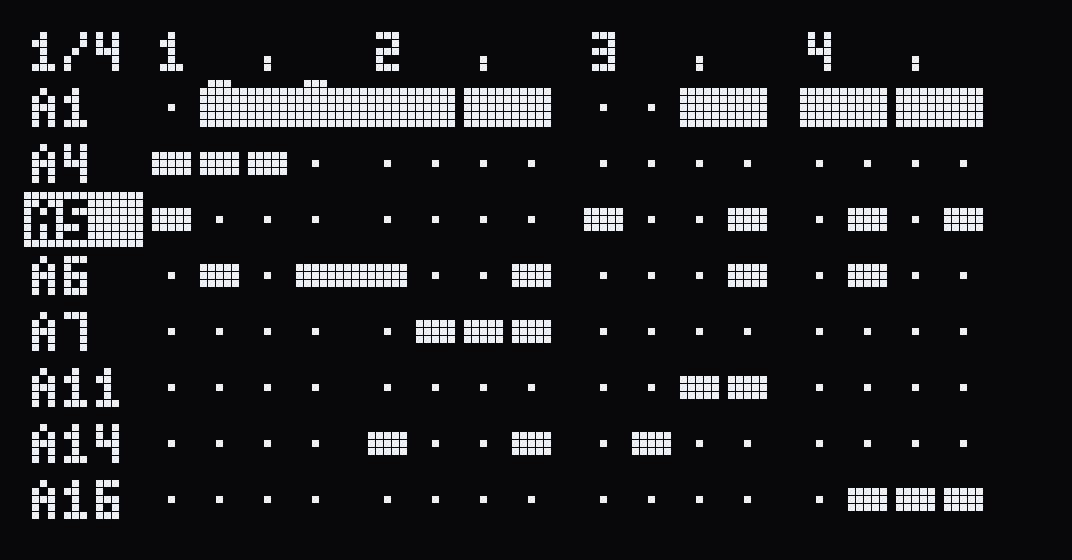
The DOOM OS pattern grid: pad names down the left, sixteen steps across, notes as blocks, long notes as long bars
Pattern grid The pattern the SP is playing, as a grid: a row per sounding pad, a column per step, the playhead running across. Tap a pad to put a step on or off; hold one and shape it on the knobs.
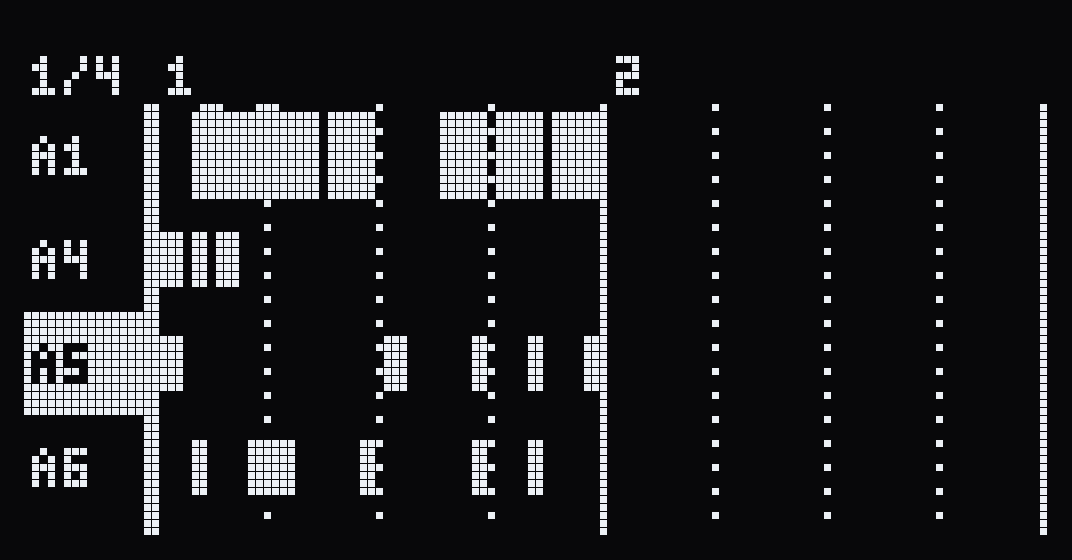
The zoomed view: four tracks over two bars, each note drawn as long as it sounds
Zoom view Four tracks at a time, each note drawn where it sounds for as long as it lasts. Click the encoder on a held step and the row becomes a piano roll, with the pads as keys.
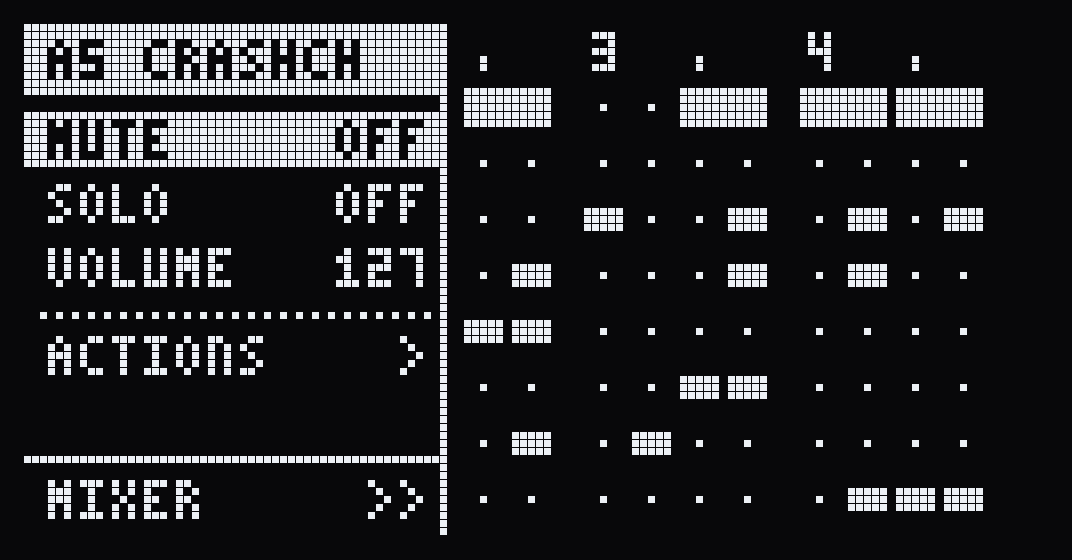
The track panel beside the grid: mute off, solo off, volume 127, actions and the mixer
Track panel RECORD SETTING slides it in: the track’s mute, solo and volume, its actions and the mixer. SWAP PAD moves the track to another pad, every note where it was, after a question. DEL deletes a track, also after a question.
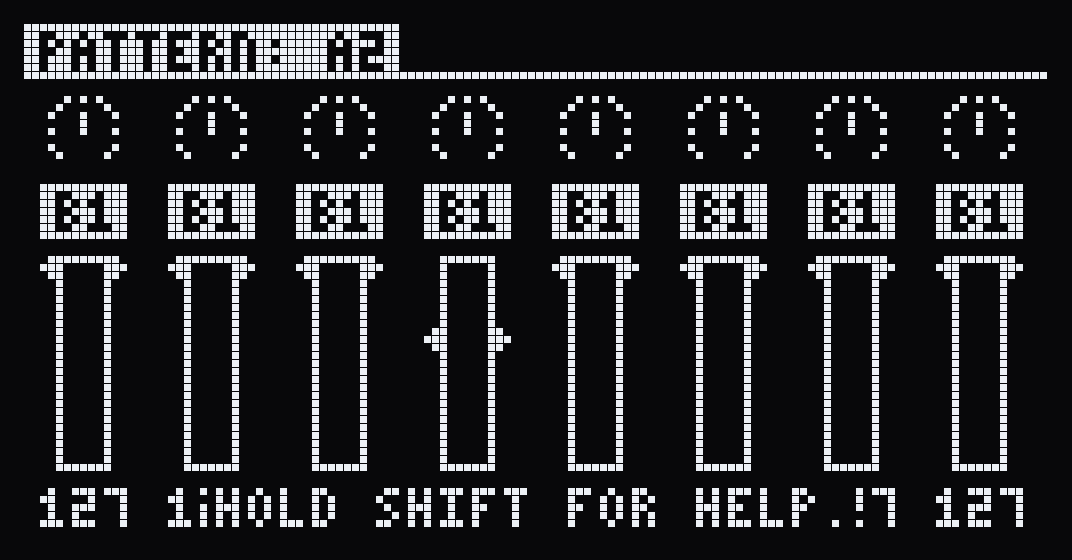
The mixer: eight channel strips, each with a pan knob, a bus label and a level fader
Mixer A strip for every track, with its pan, bus, level and a live meter, set on the three CTRL knobs.
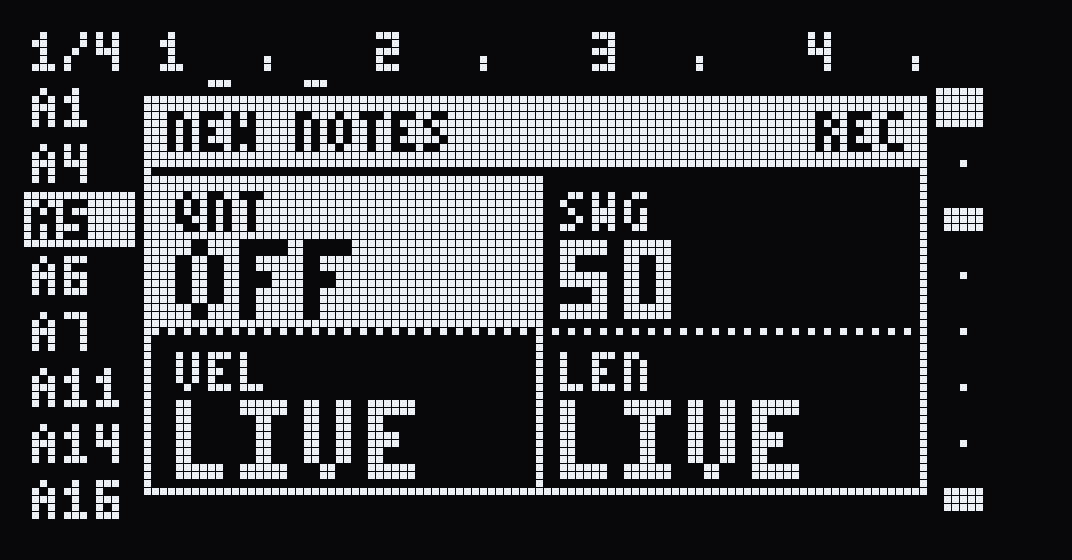
The NEW NOTES panel over the grid: quantise off, swing 50, velocity live, length live
Recording HOLD turns the pads back into pads, to play along. REC rehearses first, then keeps what you play. NEW NOTES decides how a note comes in: on a grid or where you played it, with swing, at one velocity, a fixed length.
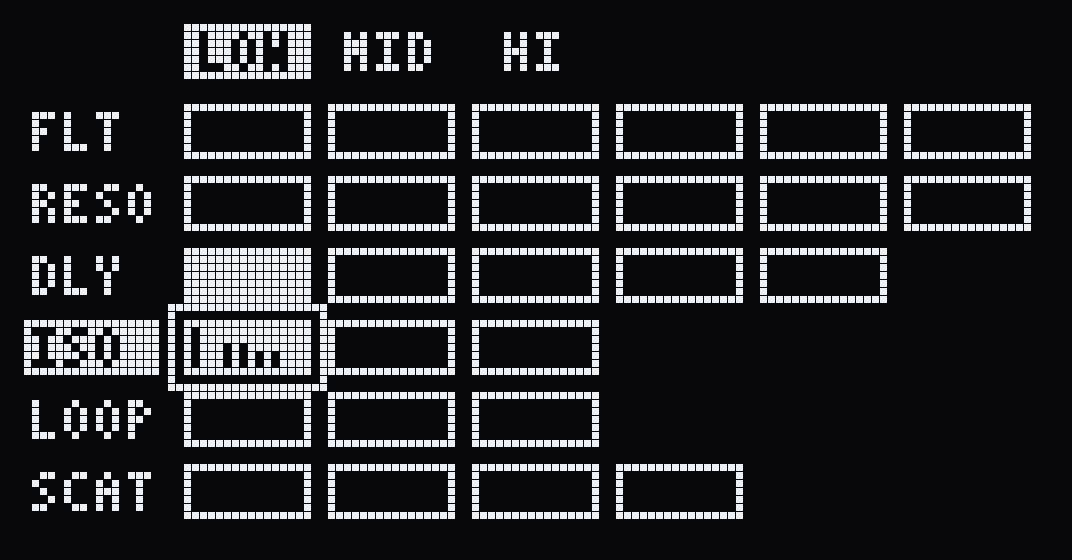
The automation screen: six effects down the side, their parameters across, a small curve where moves are recorded
Effect automation The CTRL knobs record while REC runs, replacing the moves already there or joining them (a setting on the DOOM OS tab). SHIFT + MARK opens the automation screen: every effect move of the pattern, to edit step by step.
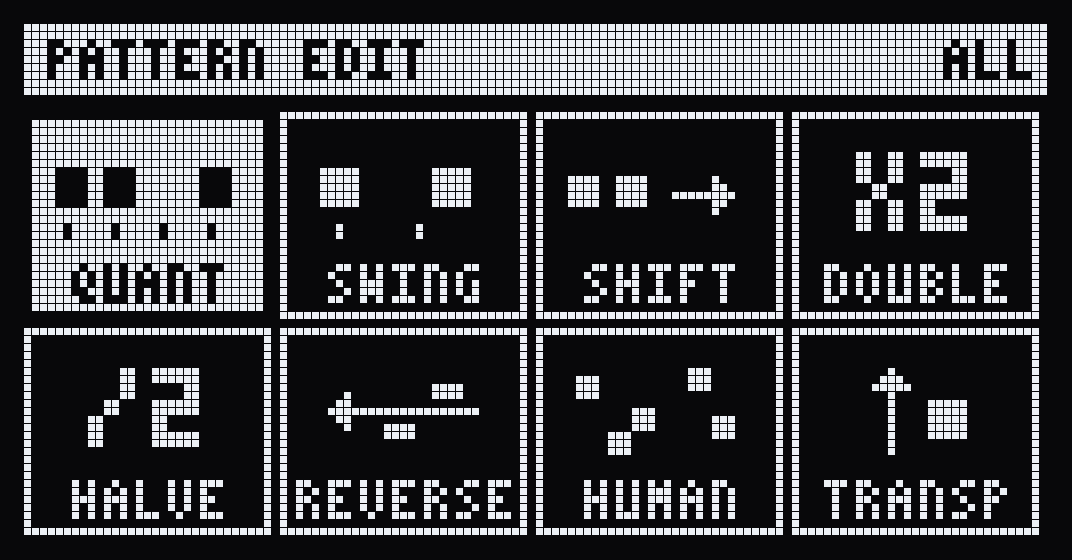
The PATTERN EDIT screen with eight tools: quant, swing, shift, double, halve, reverse, human, transp
Pattern tools Quantise, swing, shift, double, halve, reverse, humanise and transpose, on the whole pattern or one track, while it plays. Each is one undo, twelve deep.
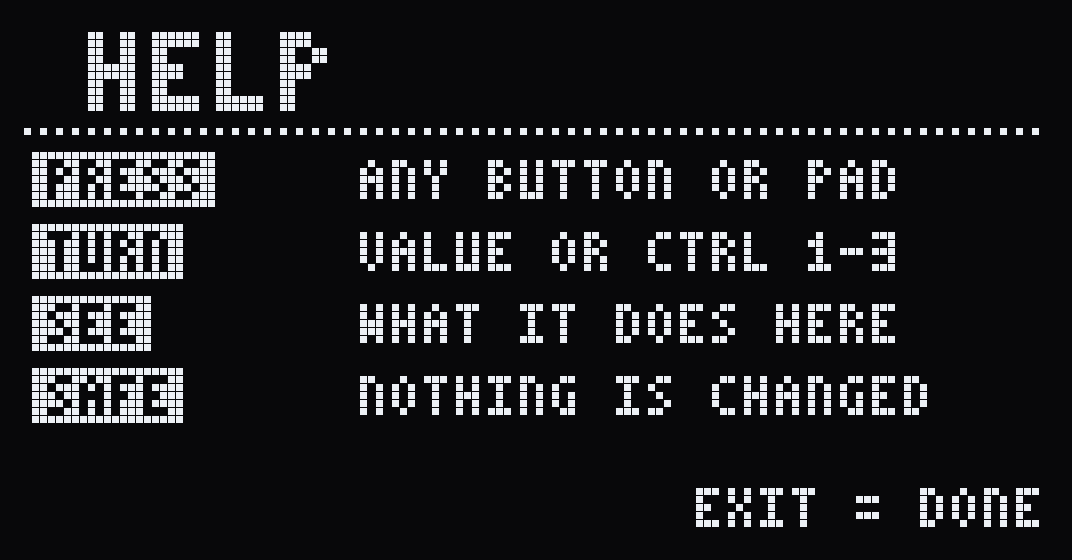
The help screen: press any button or pad, turn VALUE or CTRL 1 to 3, see what it does here, nothing is changed
Help mode Hold SHIFT for three seconds, then press anything: a card says what it does, in the state you are in. Nothing plays and nothing changes.
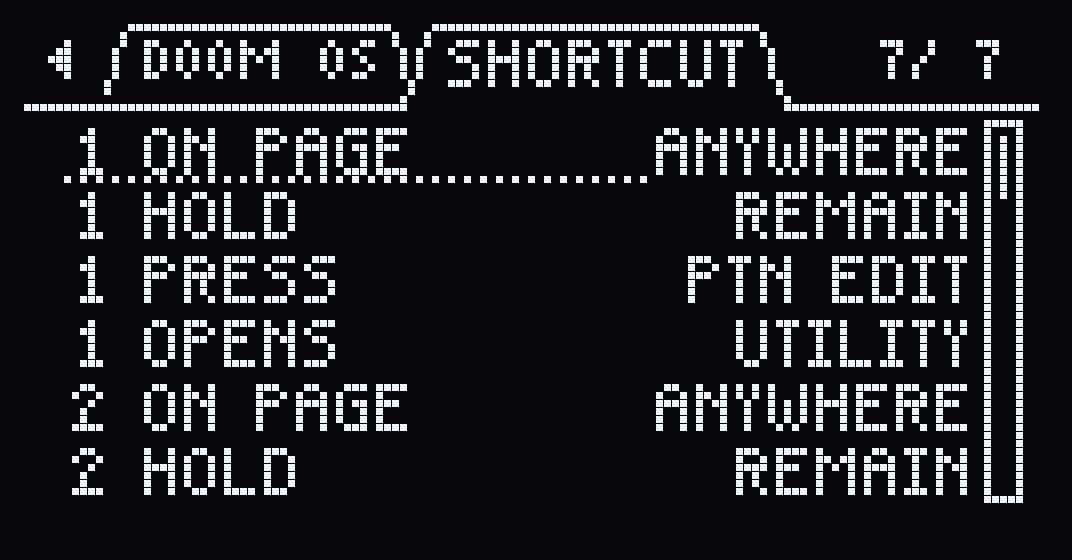
The SHORTCUT tab in the system settings: on page anywhere, hold REMAIN, press PTN EDIT, opens UTILITY
Custom shortcuts Set up to eight shortcuts of your own: a button combo that opens any screen, from the SP’s own or from DOOM OS. You set them on the SHORTCUT tab in the system settings.
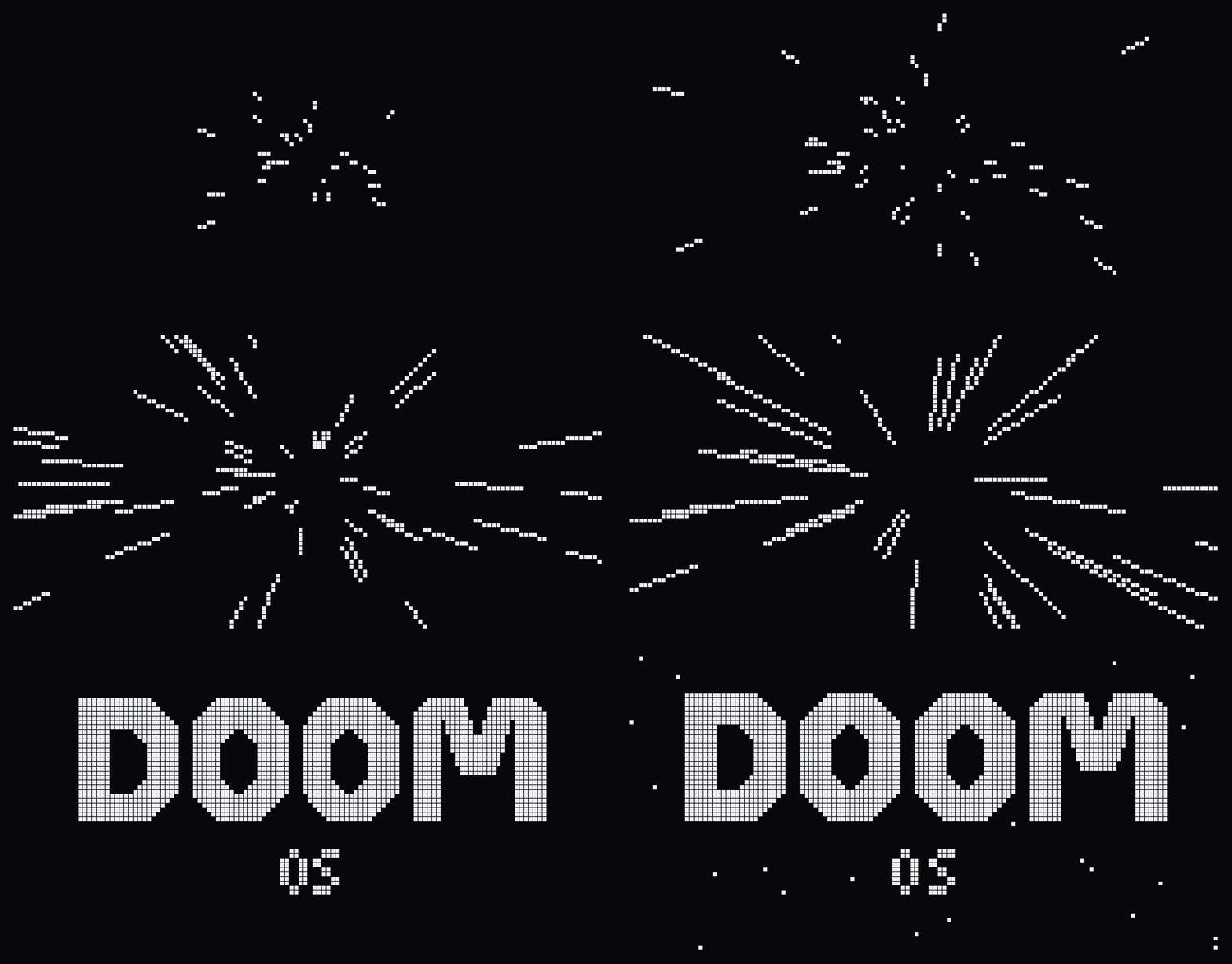
A boot animation: stars rushing past, then DOOM OS in large pixel letters
Boot animations VHS on a fresh install. Pick another on the DOOM OS tab in the settings, or RANDOM for a different one at every start. The SP boots slightly faster, too.

How to install

Firmware 5.52

1. Get the firmware from Roland

Download the system update from Roland's support page and unzip it. You need the SP404MKII_APP1.bin file inside; the other file, SP404MKII_APP0.bin, is not needed.

2. Load the file and patch it

You can find the patcher here.

3. Install it on the SP-404MK2

  1. Back up your data first.
  2. Copy the patched SP404MKII_APP1.bin to the root of the SD card.
  3. Put the card in the SP, hold SHIFT and switch it on. Wait for the updater menu and press the VALUE knob.
  4. When the update is done, switch the SP off and on again.

First steps

Every control →

REMAIN+SUB PAD
Opens DOOM OS, from any screen. EXIT closes it and writes what you changed.
SHIFTheld 3 s
Help: press anything and it says what it does.
PATTERN SELECT
Starts and stops the pattern. Hold it to pick another.
a pad
Puts a step on or off in the selected row. The encoder selects the row.
a held step+CTRL 1–3
Velocity, length and nudge. SHIFT + CTRL 1 is pitch.
CTRL 1–3no step held
The same for every note of the row at once: velocity, length, timing.
SUB PADheld
Tap pads to listen down the bank; let go and that pad is a new row.
HOLD
The pads play instead of setting steps, to play along. HOLD again for steps.
RECORD SETTING
The track panel (mute, solo, volume, actions, mixer), then the pattern panel (tempo, length in bars).
SHIFT+MARK
The automation screen: every effect move of the pattern, step by step.
SHIFT+PATTERN SELECT
Undo. REMAIN + PATTERN SELECT redoes.

For more information, see the manual.

Release notes

Changelog ↗

The first public release, for firmware 5.52.

From the lab

How it was done

  1. 03
    DOOM OS: a custom OS for the Roland SP-404MK2

    A heavily modified custom OS with a new graphical pattern sequencer, mixer, and much, much more!

Unofficial: not affiliated with, endorsed by or supported by Roland Corporation. SP-404MK2 is a trademark of Roland Corporation. This changes the firmware of an instrument you own, and you use it at your own risk. DOOM OS is named in homage to MF DOOM. Code and documentation are MIT.