DOOM OS Quickstart
Every DOOM OS control on one page. Anything not listed works as it always does on the SP-404MK2.
Open DOOM OS
HoldREMAIN+pressSUB PAD
Works from any screen of the box. EXIT closes it.
Your first pattern
- Hold REMAIN and press SUB PAD. DOOM OS opens.
- Hold PATTERN SELECT and press an empty pattern pad.
- Hold SUB PAD, tap pads to listen, and let go on the sound you want. That is your first track.
- Tap pads to set steps. Press PATTERN SELECT to play.
- Shape the notes with the CTRL knobs.
- Hold SUB PAD again for the next sound.
The CTRL knobs
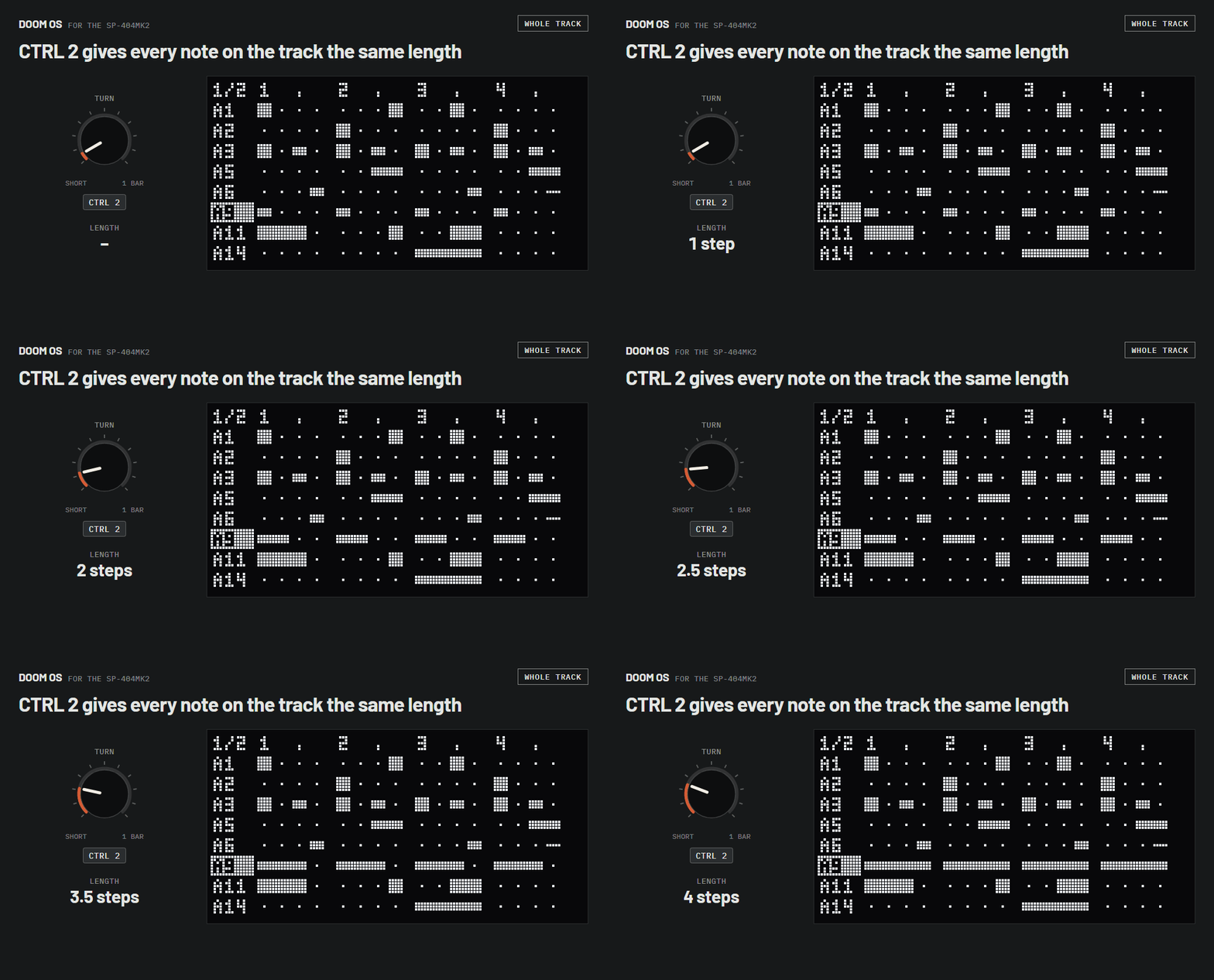
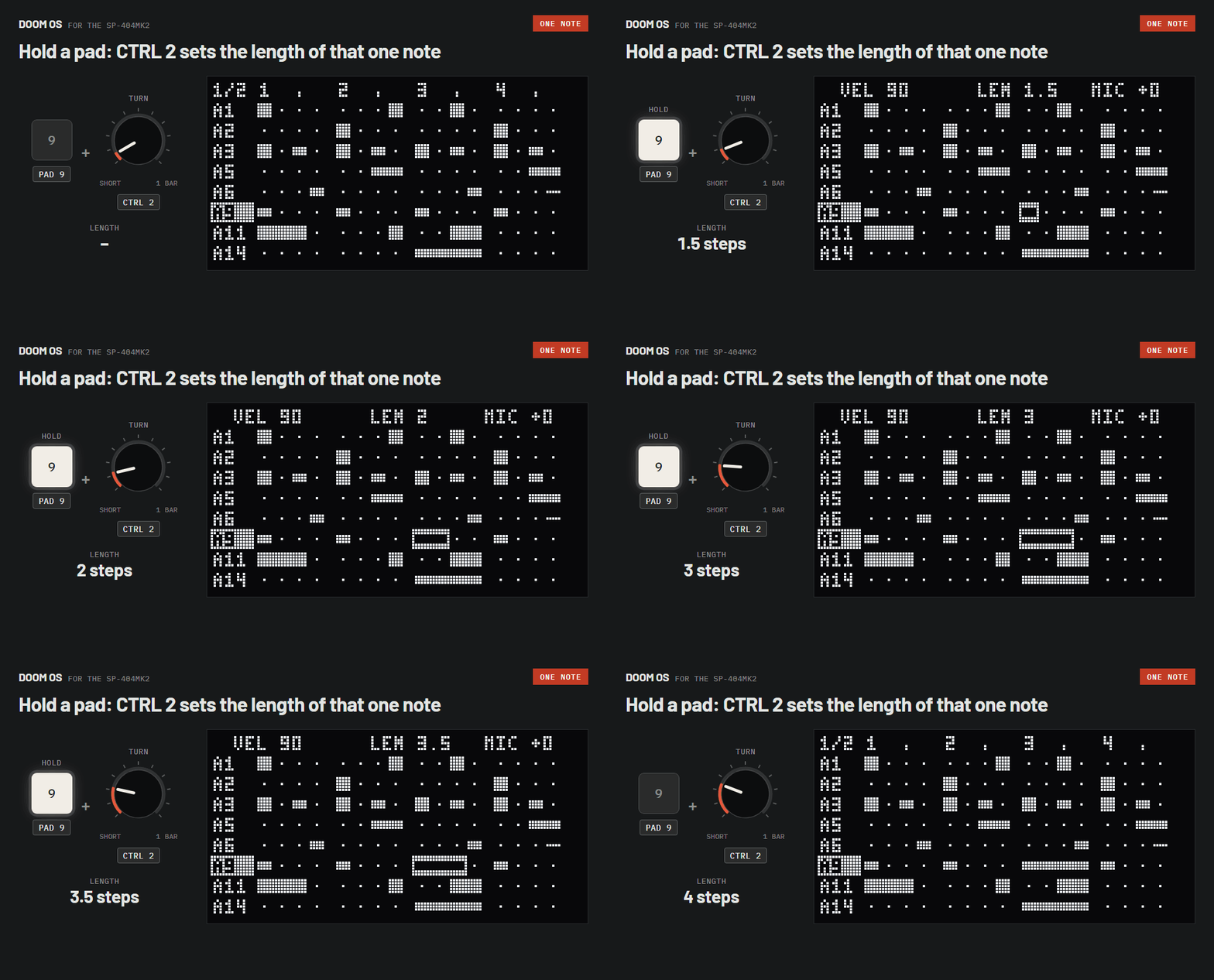
CTRL 1 CTRL 2 CTRL 3 edit notes. Turn one and every note on the selected track takes its value. Hold a step's pad while you turn and only that note changes.
Whole track
Turn VALUE to pick the track, then turn a knob.
| CTRL 1 | Same velocity for every note |
|---|---|
| CTRL 2 | Same length for every note |
| CTRL 3 | Same nudge for every notethe middle puts every note exactly on its step |
One note
Hold the note's pad and turn a knob.
| CTRL 1 | Velocity |
|---|---|
| CTRL 2 | Lengthan eighth of a step up to a whole bar |
| CTRL 3 | Nudgeearly or late; the middle is on the grid |
| SHIFT+CTRL 1 | Pitchup to 12 semitones up or down |
Every note gets the same value
With no pad held, the knob sets every note on the track to the same value. For example:
- CTRL 1All hits of a hi-hat at the same velocity.
- CTRL 2All stabs the same length, short or long.
- CTRL 3All notes the same distance off the grid. In the middle, every note is exactly on its step.
While you hold a pad the top line shows that note: VEL velocity, LEN length in steps, MIC nudge.
Hands free: hold the pad and press REMAIN. The note stays selected after you let go; press REMAIN again to release it.
Went too far? SHIFT+PATTERN SELECT undoes the whole turn.
All controls
Hold SHIFT for three seconds on the box and press any button to see what it does there.
Basics
| Open DOOM OS | hold REMAIN+SUB PAD |
|---|---|
| Close DOOM OS | EXIT |
| Save | nothing to press: saved when you open another pattern or press EXIT |
| Help mode: what does this button do? | hold SHIFT 3 seconds, then press anything |
| Undo | SHIFT+PATTERN SELECT |
| Redo | REMAIN+PATTERN SELECT |
| Play / stop | PATTERN SELECT |
| Open another pattern | hold PATTERN SELECT+pad |
| New pattern | hold PATTERN SELECT + an empty pad |
| Pattern from another bank | hold PATTERN SELECT+BANK |
| Tempo | SHIFT+pad 11, turn VALUE, press VALUE |
Tracks
A track is one pad in the pattern.
| Select a track | turn VALUE |
|---|---|
| Add a track / choose its sound | hold SUB PAD, tap pads, let go |
| Sounds from another bank | BANK, then hold SUB PAD |
| Same velocity for every note | CTRL 1 |
| Same length for every note | CTRL 2 |
| Same nudge for every note | CTRL 3 |
| Mute / unmute | SHIFT + press VALUE |
| Solo | RECORD SETTING › SOLO |
| Track volume | RECORD SETTING › VOLUME |
| Copy the track | COPY |
| Paste onto the track | RECORD SETTING › ACTIONS › PASTE |
| Swap the sound, keep the notes | RECORD SETTING › ACTIONS › SWAP PAD |
| Clear all notes | RECORD SETTING › ACTIONS › CLEAR... |
| Delete the track | DEL |
Notes
The 16 pads are the 16 steps of the selected track.
| Step on / off | tap pad |
|---|---|
| Select a note | hold its pad |
| Keep it selected | hold pad+REMAIN (again to let go) |
| Velocity | hold pad+CTRL 1 |
| Length | hold pad+CTRL 2 |
| Nudge | hold pad+CTRL 3 |
| Pitch | hold pad+SHIFT+CTRL 1 |
| Pitch, one semitone at a time | hold pad + turn VALUE |
Bars and views
| Next / previous bar | SHIFT + turn VALUE |
|---|---|
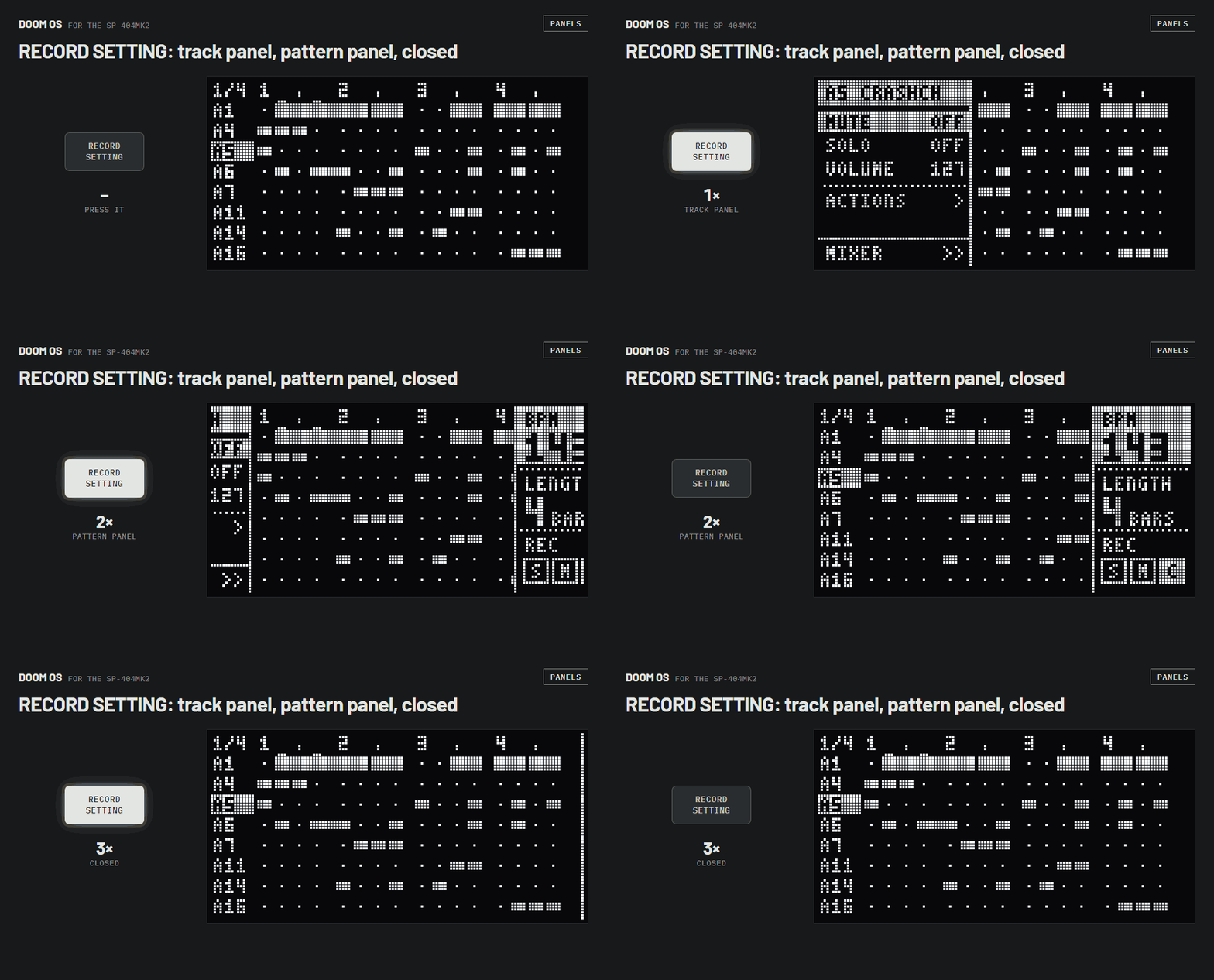
| Pattern length in bars | RECORD SETTING twice › LENGTH |
| Grid lines / zoomed view | SHIFT+RECORD SETTING |
| Zoom in / out (zoomed view) | REMAIN + turn VALUE |
| Next / previous beat (zoomed view) | SHIFT + turn VALUE |
Piano roll
| Open / close | press VALUE |
|---|---|
| Scroll up / down | turn VALUE |
| Give a step a pitch | hold its pad + press a pad as a key (pad 5 = own pitch) |
| Other track | SHIFT + turn VALUE |
Recording
| Rehearse (pads play, nothing recorded) | REC |
|---|---|
| Record | REC again |
| Stop recording | EXIT |
| Record mode: single / multi / chromatic | SHIFT+REC |
| Quantise, swing, velocity, length of new notes | SHIFT+PATTERN EDIT |
| Pads play samples instead of steps | HOLD |
| Fixed velocity on / off | SHIFT+pad 1 |
Pattern tools
PATTERN EDIT, turn VALUE to a tool, press VALUE.
| Quantise | PATTERN EDIT › QUANT |
|---|---|
| Swing | PATTERN EDIT › SWING |
| Swing on eighths instead of sixteenths | in SWING: SHIFT + turn VALUE |
| Move all notes by whole steps | PATTERN EDIT › SHIFT |
| Double the pattern | PATTERN EDIT › DOUBLE |
| Halve the pattern | PATTERN EDIT › HALVE |
| Reverse | PATTERN EDIT › REVERSE |
| Humanise | PATTERN EDIT › HUMAN |
| Transpose | PATTERN EDIT › TRANSP |
| Tools on one track only | PATTERN EDIT, tap the track's pad |
Mixer
RECORD SETTING › MIXER
| Select a track | turn VALUE |
|---|---|
| Pan | CTRL 1 |
| Bus: B1, B2 or DRY | CTRL 2 |
| Level | CTRL 3 |
| Mute / unmute | SHIFT + press VALUE |
| Level as arrows / dithered | SHIFT+RECORD SETTING |
| Back to the grid | EXIT |
Effects
| Effect on / off | its FX button (FILTER+DRIVE ... MFX) |
|---|---|
| Effect parameters | CTRL 1 CTRL 2 CTRL 3 (effect page open) |
| Second page of parameters | hold VALUE |
| Close the effect page | EXIT |
| Choose the MFX effect | hold MFX+pad |
| MFX effects 17 to 32 | hold MFX+DJFX LOOPER+pad |
| MFX effects 33 to 48 | hold MFX+ISOLATOR+pad |
| Other bus | BUS FX |
| Record knob moves | effect page open, REC twice, turn CTRL knobs |
Automation
| Automation screen on / off | SHIFT+MARK |
|---|---|
| Next parameter | turn VALUE |
| Next effect | SHIFT + turn VALUE |
| Edit a parameter step by step | press VALUE |
| A step's value | hold pad + turn VALUE |
| Remove a step's move | DEL+pad |
| Remove all moves of a parameter | DEL + press VALUE |
| Copy / paste a parameter | COPY + press VALUE |
| Moves play on / off | START/END |
| Next / previous bar | REMAIN + turn VALUE |
Settings
| DOOM OS settings | SHIFT+pad 13 › SYSTEM › DOOM OS tab |
|---|---|
| Your own shortcuts | SHIFT+pad 13 › SYSTEM › SHORTCUT tab |
| Utility menu | REMAIN+PATTERN EDIT |
| The box's pattern screen | REMAIN+RECORD SETTING |